
Editing Existing Products
Do not use the Divi page builder to edit products. Simply to go Products>All Products and click the product in question to edit it. Click the blue ‘Update’ button in the right column to save your changes.
Adding new products
The easiest way to do this is to simply duplicate an existing product and then edit it.
Processing orders
When someone places an order, both you and the customer receive an email confirmation. To open the order go to WooCommerce>Orders: 
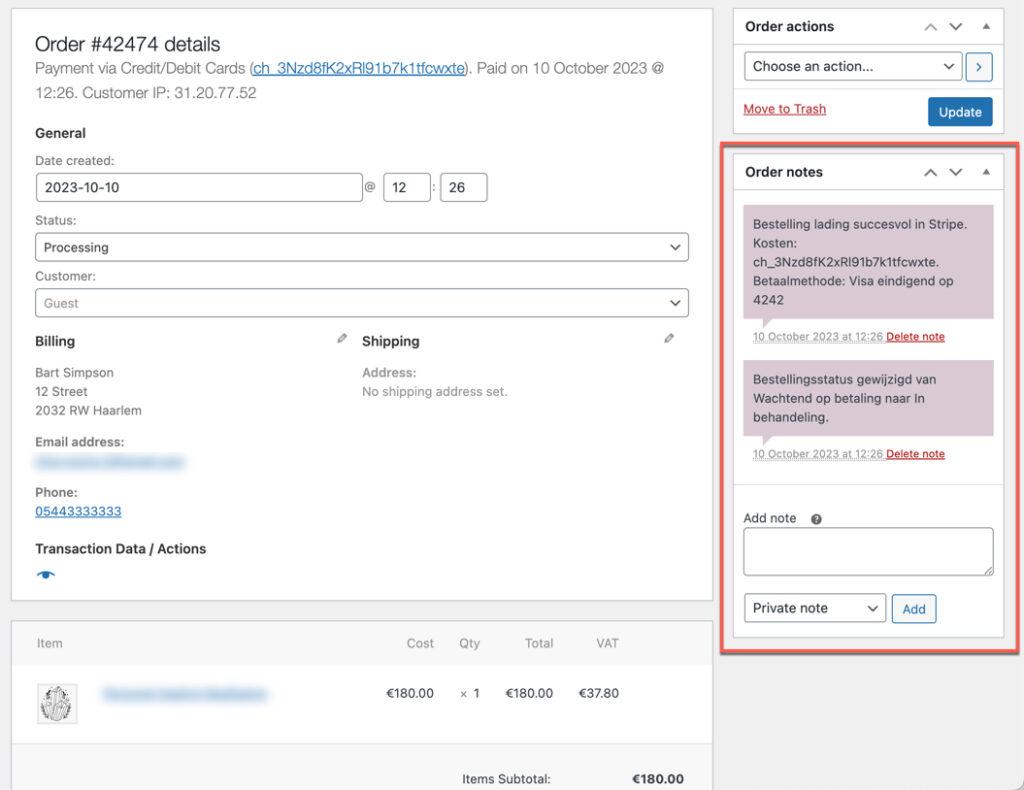
Click an order to open it. Notice the ORDER NOTES in the right sidebar. This always contains information about the payment:
Send an Email to the Customer
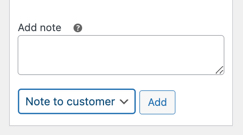
You can send order related messages to the customer by adding a note, choosing NOTE TO CUSTOMER and clicking ADD. This will send an email message and it’s useful for things like sending tracking codes. Anything you send will be saved in the ORDER NOTES sidebar.
How to Change Order Status
It’s good practice to process your orders instead of leaving everything in status ‘Processing’, change it to ‘Complete’.
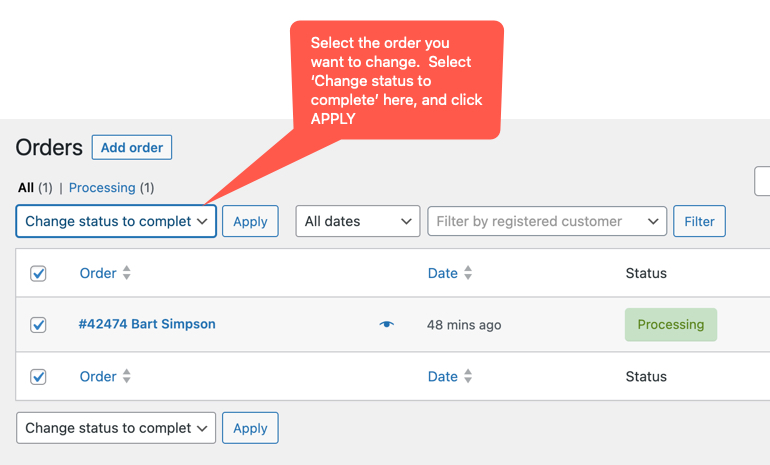
Changing the status of an order will send an email notification to the customer, which lets them know that you’ve completed the order.