
Instructions
For us to remotely access your computer/laptop to resolve issues please allow remote access using TeamViewer:
- Install https://www.teamviewer.com/
- Ten minutes before your scheduled support call, launch Teamviewer and share the codes displayed (note that the codes are different every time you start TeamViewer)e.g.
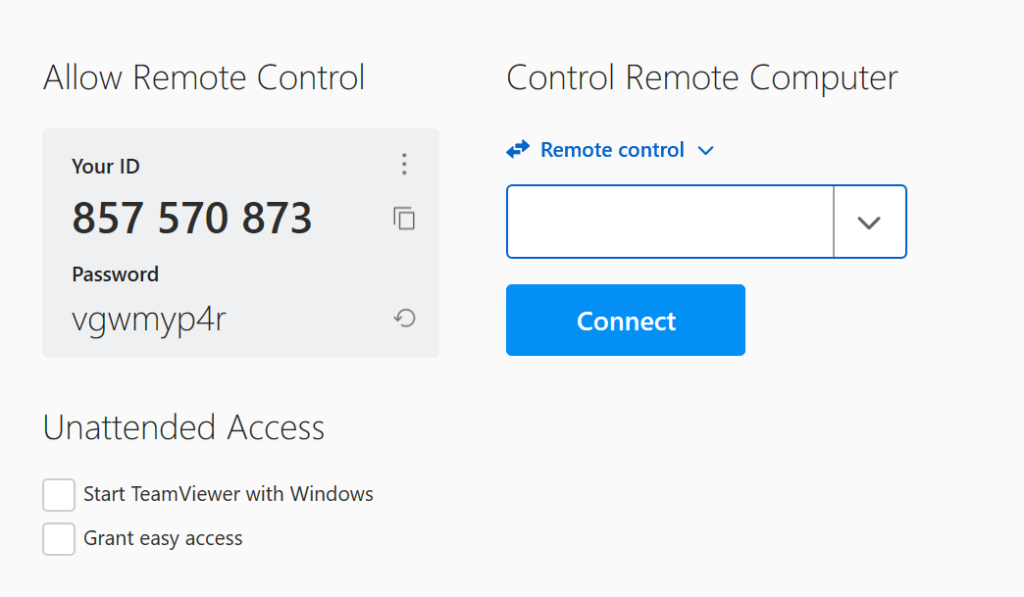
- We will use the code to make a connection to your computer. At this point you will need to accept the connection.
- We will troubleshoot and fix the issue and then disconnect. You may watch what we’re doing during the session or you can leave your computer/laptop as we do not need any assistance.