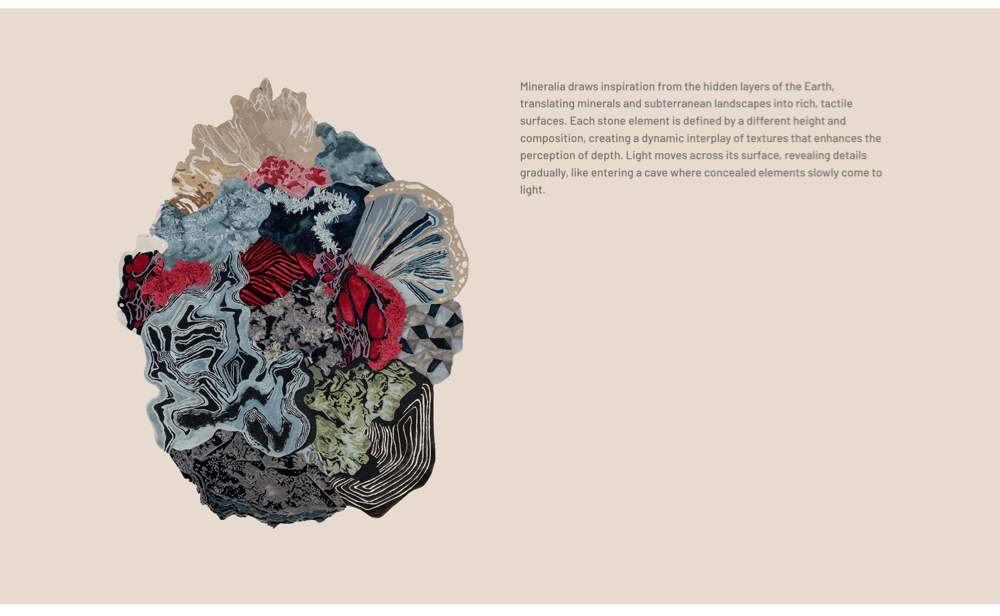
How to vertically align content in row columns
Content normally appears at the top of each column which sometimes doesn’t look as perfect as it could. This would benefit from the text being vertically center-aligned to the image.
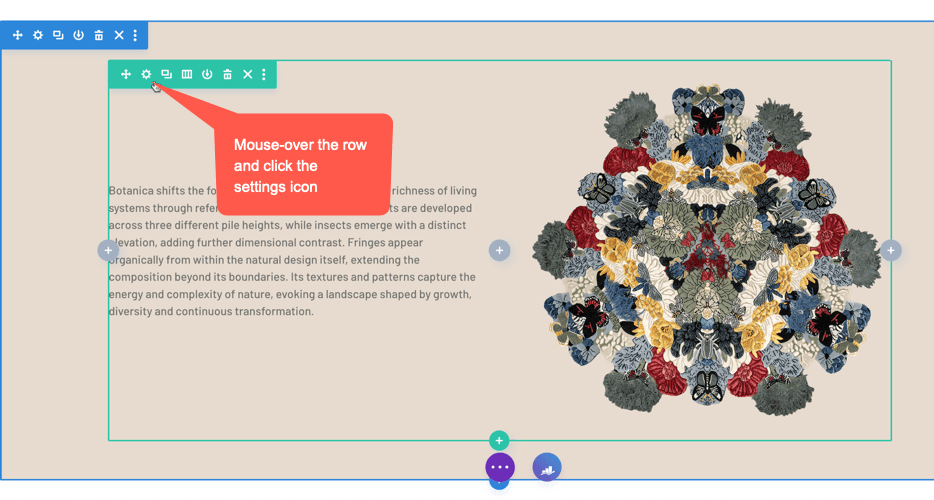
Step 1: go to row settings
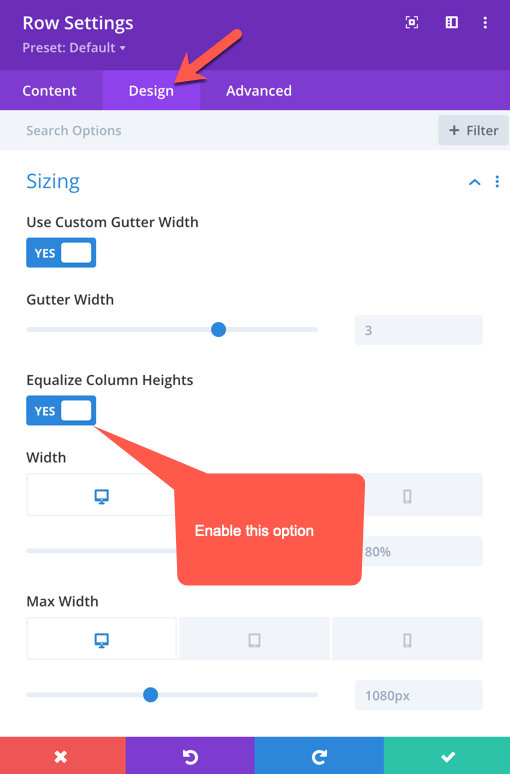
Step 2: Equalise Column Heights
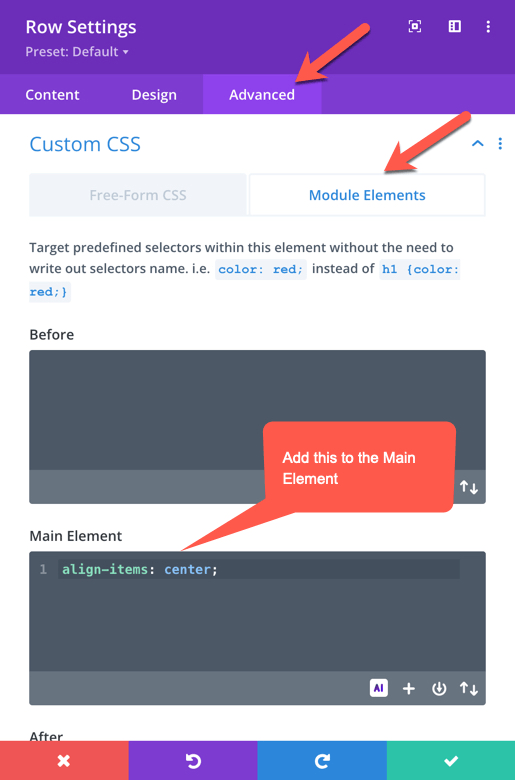
Step3: Center Align Content
Go to the ‘Advanced’ tab and then ‘Module Elements’ in the ‘Custom CSS’ section. Type the following text in the ‘Main Element’ field: align-items center;