If you have Elan Creative hosting then you already have access to regular backups on your hosting account.
You can also make manual backups and here’s how to do that using the UpdraftPlus plugin.
Connect to Google Drive, Dropbox or Microsoft OneDrive
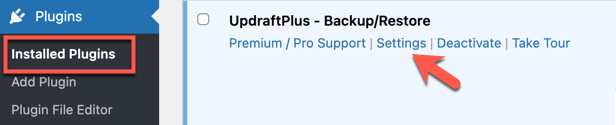
Go to ‘Installed Plugins’, hover over Updraft Plus and click ‘Settings’. Go to Install Updraft Plus if you don’t have the plugin yet.
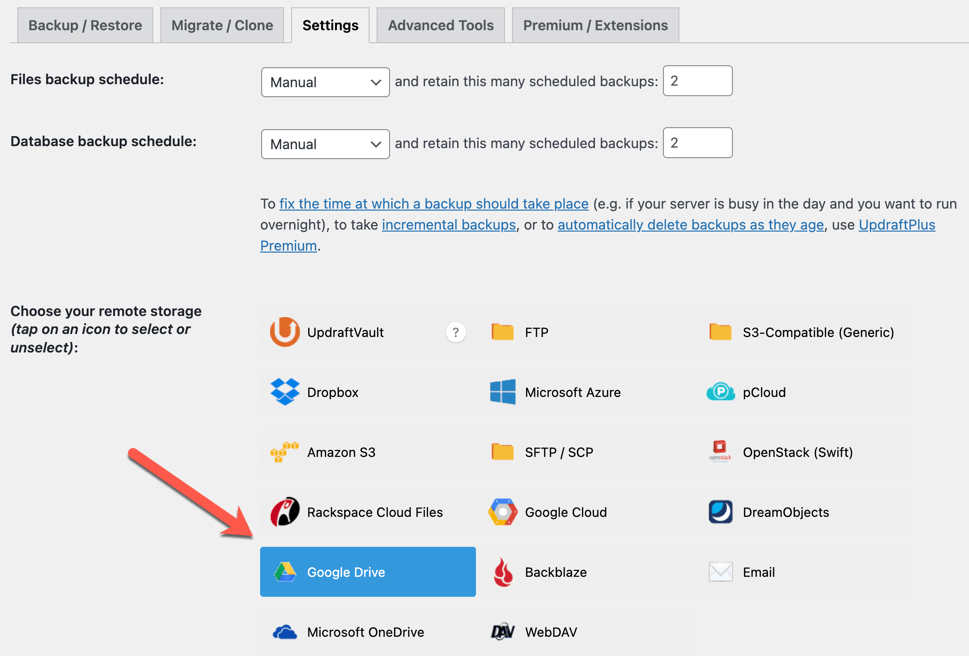
Now go to the ‘Settings’ tab, select where you want to back your website up e.g. Google Drive, and then scroll to the bottom of that page and click the ‘Save’ button.
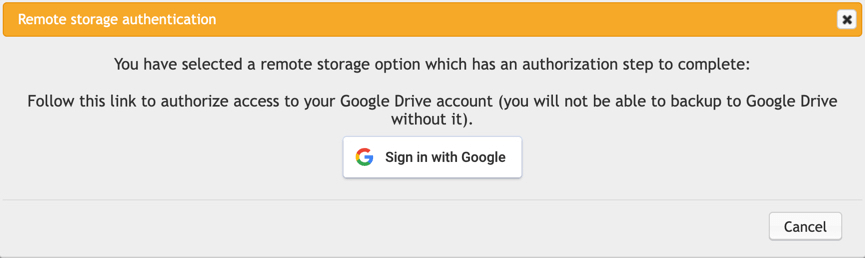
You will then see a popup to connect with your Google account. Click the sign in button and follow the steps
Make a backup
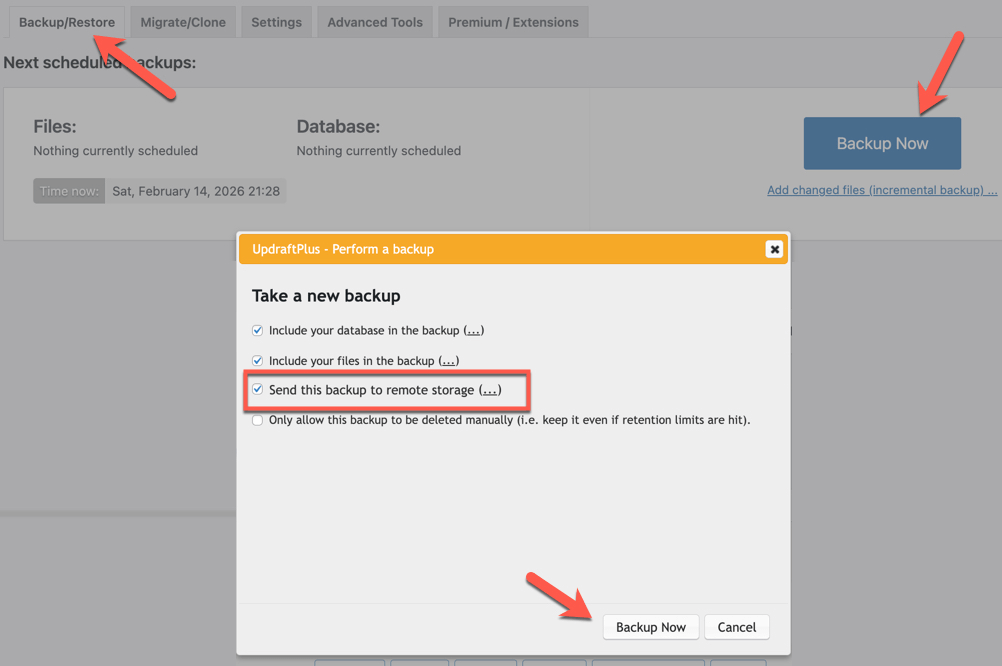
Go to the ‘Backup/Restore’ tab, click the ‘Backup Now’ button and then choose ‘Send this backup to remote storage’ and click the ‘Backup Now’ button.
Automatic Backups
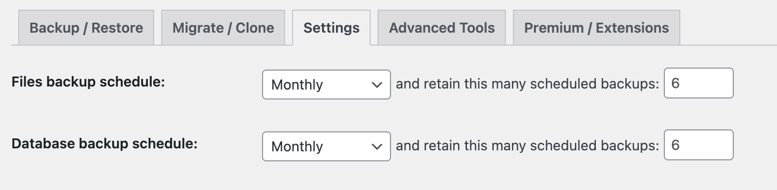
If you want to take automatic backups then go to the ‘Settings’ tab and and set a schedule like this:
How to install UpdraftPlus
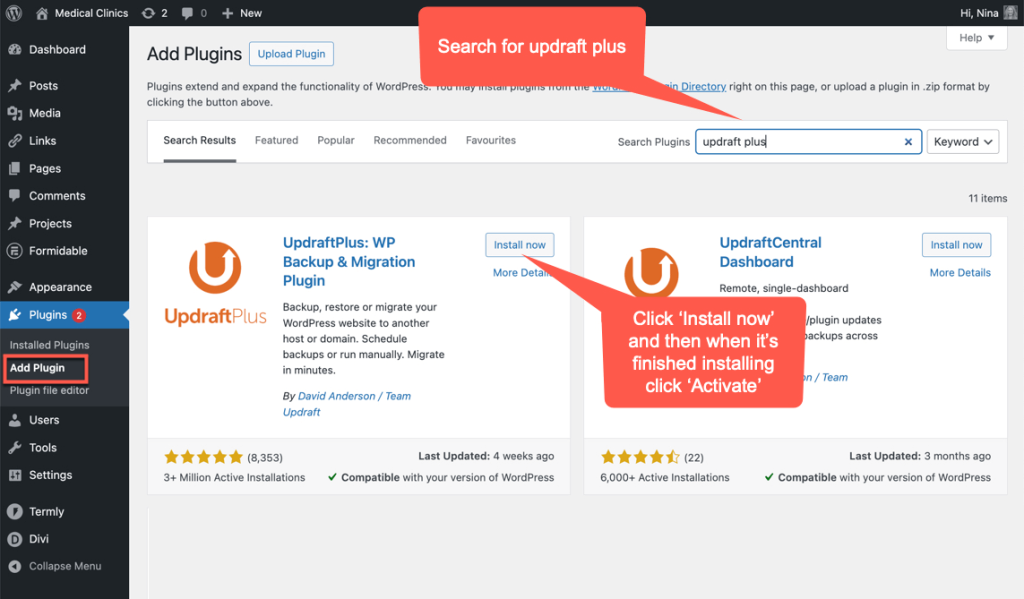
Go to Add Plugin, search for updraft plus and then install and activate the plugin: